Two-factor authentication (2FA)
With 2FA you protect your account beyond the password using a time-based code (TOTP) from an authenticator app.
Set up
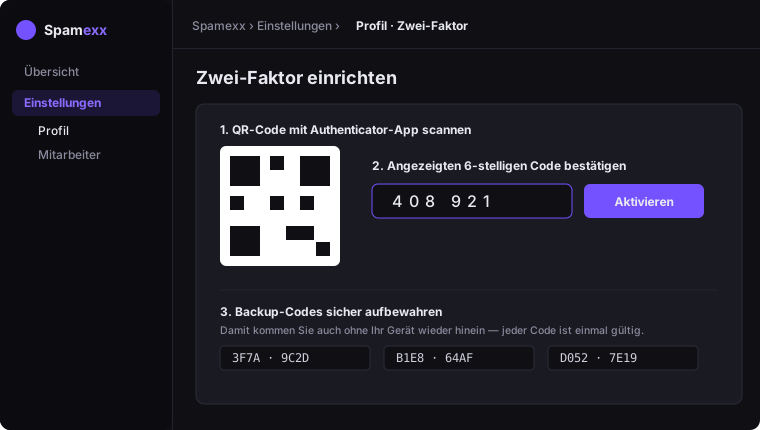
- Open Settings → Profile.
- Start Set up two-factor and scan the QR code with your app (e.g. Google Authenticator, Aegis, 1Password).
- Confirm with the displayed 6-digit code.
- Save the backup codes in a safe place – they let you back in even without your device.
Signing in
After activation, login asks for your password and then the 6-digit code. Lost your device? Use a backup code.